# Smoke Bunker: acquire a bunker
> Buy a bunker site as a personal org or a gang, use the keypad and move around inside.
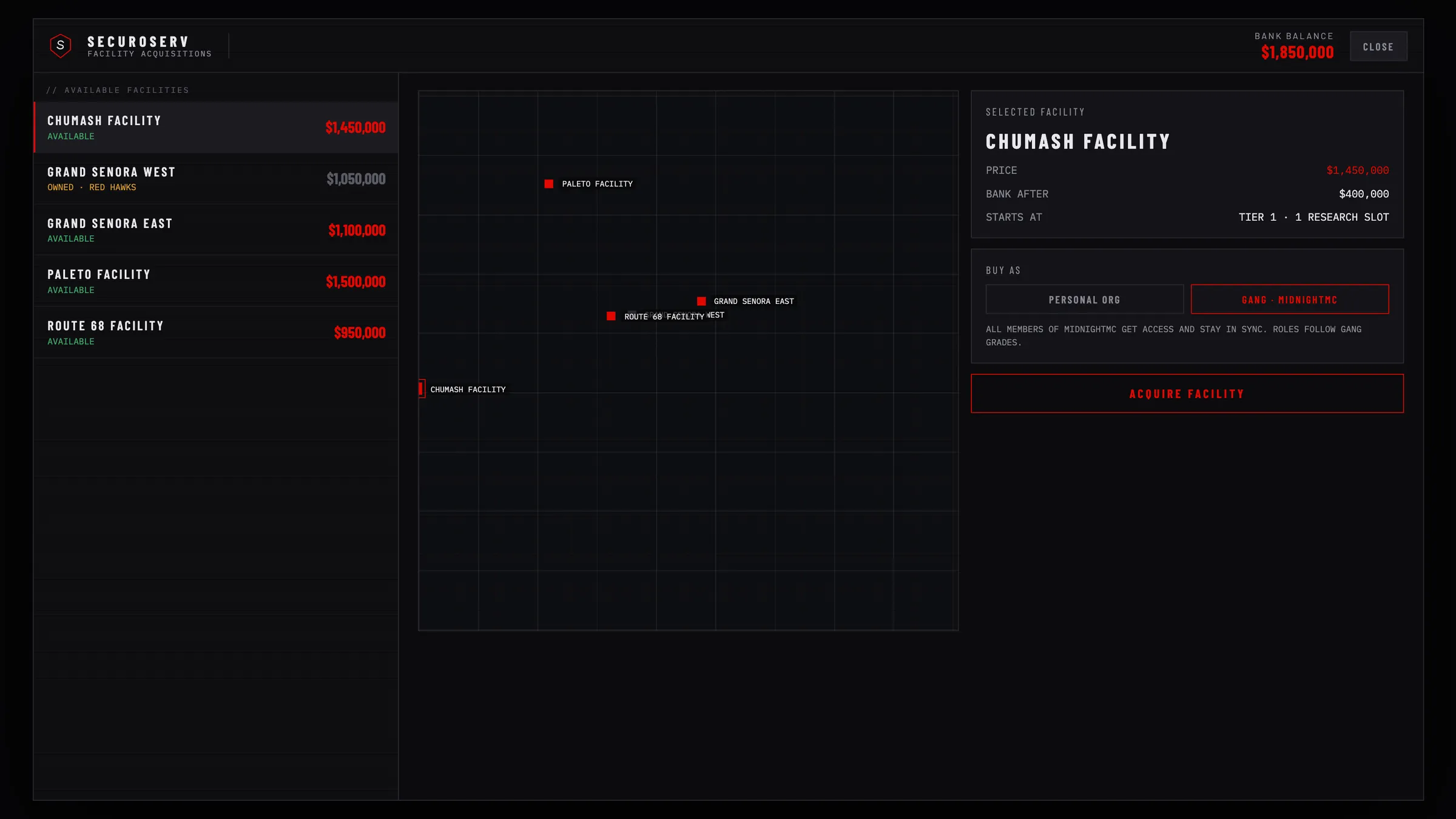 ## Find a site
There are 11 sites, listed under [Sites](/bunker/configuration#sites). An unowned site shows a for-sale blip unless an admin disabled it. Your own bunker shows its own blip. Jobs in `blipRestrictions.hiddenForJobs` see neither.
## Use the keypad
1. Use the keypad beside the tunnel door: a target option, or `E` when no target script runs.
2. Click the buttons with the mouse: `0` to `9`, `C` clears, `#` sends.
3. On an unowned site, `#` opens the Acquire screen.
## Buy the bunker
1. Pick a facility in the list or on the map. An owned site cannot be bought. The side panel shows the price and your bank balance after buying.
2. Under `Buy As`, choose `Personal Org` and enter a name: 3 to 30 characters, not taken. Only letters, digits, spaces, hyphens, underscores and apostrophes are kept.
3. Press `Acquire Facility`.
The price comes out of your bank account, and you must stand within 25 metres of the entrance. Failures show:
```text
NOT ENOUGH MONEY IN YOUR BANK ACCOUNT
YOU ALREADY BELONG TO A BUNKER ORGANISATION
```
### Buy as a gang
The `Gang · ` choice works only when all of these are true:
- `gangMode.enabled` is on (off by default).
- Your gang grade is at least `gangMode.minBuyGrade`.
- Your gang does not own a bunker yet.
With gang mode on, a gang member who cannot buy sees `GANG PURCHASE NEEDS GRADE 3+ AND NO EXISTING GANG BUNKER`, with `gangMode.minBuyGrade` as the number.
Every gang member gets access and stays in sync. Roles follow gang grades (`gangMode.gradeRoles`). The buyer is `OWNER`.
### What a new bunker has
- You are `OWNER` with every permission.
- 50 supplies, no org funds: deposit some first ([Org and storage](/bunker/guides/org-and-storage)).
- Two Production operatives, with the ammunition line producing stock.
- Research projects `MK II Barrel Rifling` and `Ballistic Armor Plating` complete, and one `MK2 Suppressor Schematic`.
- A random keypad code of `ownership.keypadDigits` digits, shown in the Dashboard Security tile and on the Security page.
## Walk in
1. Members press `#` with no digits. The hatch opens for 90 seconds.
2. If other players are within 8 metres, you choose to enter alone or with them. Each nearby player gets a prompt and has 15 seconds to accept. Up to 8 people can enter at once.
3. Walk down the tunnel within the 120-second entry pass.
Guests type the keypad code, then `#`. Three wrong codes lock that player out for 60 seconds. With the Security upgrade, the blast doors stay sealed until an officer opens them, and a sealed keypad refuses every code. Members still get in.
Anyone inside without access is put back at the entrance.
## Inside the bunker
| Prompt | Where | What it does |
| --- | --- | --- |
| `Open Terminal` | Boss chair | Opens the terminal. |
| `Use workshop` | Workshop machine | Opens the workshop. Crafting needs the Equipment upgrade. |
| `Open stash` | Stash point | Opens the bunker stash. |
| `Use keypad` | Keypad in the tunnel | Opens the hatch so you can leave. Members press `#`. |
| `Wardrobe` | Personal Quarters | Opens the outfit menu. |
| `Sleep here (toggle waking up in the bunker)` | Personal Quarters | Toggles waking up in the bunker or where you log out. |
| `Open your gun locker` | Gun Locker | Opens your personal weapon locker. |
| `Start the target challenge`, `Range scoreboard` | Shooting Range | Starts a run, or shows scoreboards. |
| `Repair ` | Destroyed camera | 8 seconds and one `camera_part` (yours first, then the stash). Needs `MEMBER` rank. |
Wardrobe, bed, locker and range prompts appear only after you buy the matching customization ([Staff and upgrades](/bunker/guides/staff-and-upgrades)).
`Esc` closes the terminal, as does moving more than 8 metres from the chair. Your rank and permissions decide what you can do on each page.