# Smoke Bunker: production and supplies
> Keep a bunker supplied, pick a production line, run supply and sale missions with a crew and sell stock.
The numbers are config defaults.
## How the loop works
1. Supplies drain while the production line runs.
2. The line turns supplies into stock.
3. You sell stock to a local buyer or on an export contract, for org funds.
4. Org funds pay wages, upkeep, supply orders and upgrades.
A bunker holds up to 100 supplies. While the line produces, they drain at 4.2 units an hour times the line's supply use. Each active research project adds 1.8 an hour. The Equipment upgrade lowers the drain by 25%. With the two starting operatives a unit of stock takes about 10 minutes, or about 6.5 minutes with the Equipment and Staff upgrades, before line speed. Each extra Production operative raises the rate.
Production, research and wages are worked out from elapsed time, up to 168 hours, whenever something reads the bunker, such as a member opening the terminal. The bunker keeps working while nobody is online.
## The Supplies page
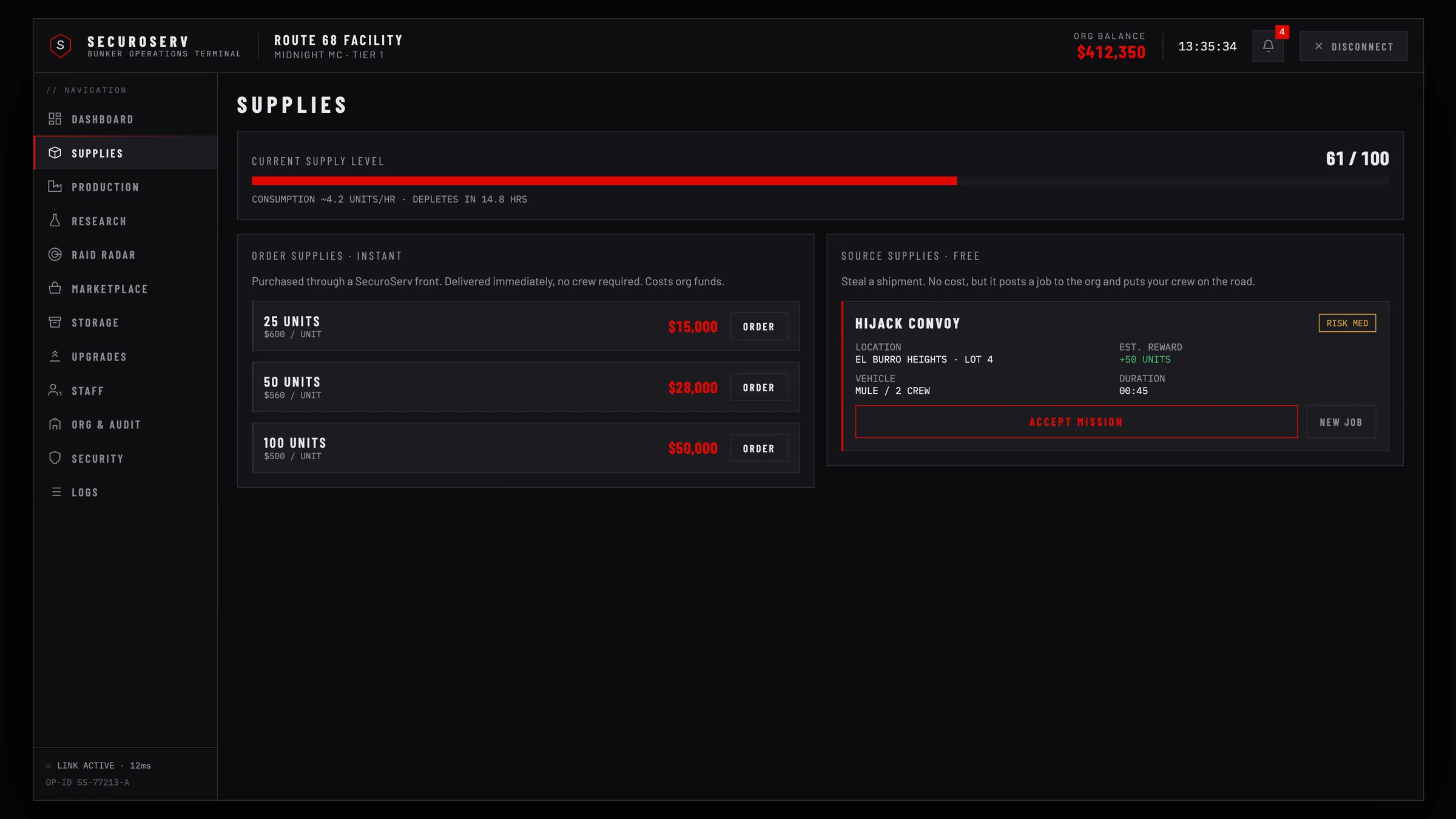 ### Order supplies
Three tiers: 25, 50 and 100 units, by default $15,000, $28,000 and $50,000 from org funds. Press `Order`, then confirm. The button reads `No Funds` when the org cannot pay. Ordering needs the `WITHDRAW` permission, or the officer rank. You cannot order while the supplies are full or a supply run or order is active.
What happens next depends on `missions.orderMode`:
- `'truck'` (default): the order starts a pickup mission. The 25 and 50 unit orders are a Mule pickup in the city. For 100 units a Phantom cab waits inside the bunker and its trailer around the port and airport. Drive the truck to the bunker and park by the caddy. A failed mission refunds the order.
- `'instant'`: the supplies arrive at once.
### Source supplies
The Source Supplies panel shows one of three jobs. A job is free, but it posts a mission to your org and puts your crew on the road.
| Job | Risk | Units | Vehicle |
| --- | --- | --- | --- |
| `HIJACK CONVOY` | `MED` | 50 | Mule, 2 crew |
| `RAID LOCKUP` | `HIGH` | 75 | Phantom with trailer, 3 crew |
| `SKIM AIRDROP` | `LOW` | 35 | Mule, solo |
`New Job` shows the next job (20 second cooldown). `Accept Mission` starts the job on the card and needs the `MEMBER` rank. `Abort Run` stops an active run.
A source run goes in four steps:
1. Head into the zone, marked by a circle on the map. The vehicle and its guards appear when the mission leader is within 250 metres. For `RAID LOCKUP` the Phantom cab waits inside the bunker; take it to the trailer.
2. Find the supply vehicle somewhere in the zone.
3. Within 90 metres the vehicle counts as found. Guards: none on `LOW`, 3 to 5 on `MED`, 6 to 9 on `HIGH`. A reinforcement vehicle arrives with a 25% chance for `MED` and 60% for `HIGH`.
4. Drive the supplies into the bunker: the hatch opens as the truck gets close. Park at the drop inside, by the caddy, to add the units, up to 100.
A mission fails on its time limit (20 minutes for an order, 30 for a source run, 25 for a sale), when the vehicle is destroyed, when no crew member is within 400 metres of the load for 150 seconds, or when the leader is offline for 60 seconds with nobody to take over. Export sales are exempt from the last two rules. A `HIGH` risk mission shows on the map to police jobs and members of other orgs from 30 seconds after it starts. With `dispatch.enabled` and `dispatch.onHighRiskMission` on, it also alerts the police.
A finished order or source run can drop a research blueprint and a `bp_*` item ([Research and workshop](/bunker/guides/research)).
### Crews
`/crew` opens the crew panel.
- `Form a crew`: type a name, or leave it empty, and press `Create`. A crew has 6 members at most.
- Crews of your org are listed with `Join`.
- The leader can invite org members (an invite stays open 60 seconds), `Promote` and `Kick` members, and `Disband` a crew that is not on a mission. `Leave` leaves the crew.
A crew is optional unless `group.requiredForMissions` is on. Without one, every online org member takes part in a mission. With one, only the leader starts missions, and a crew on a mission cannot start another.
## The Production page
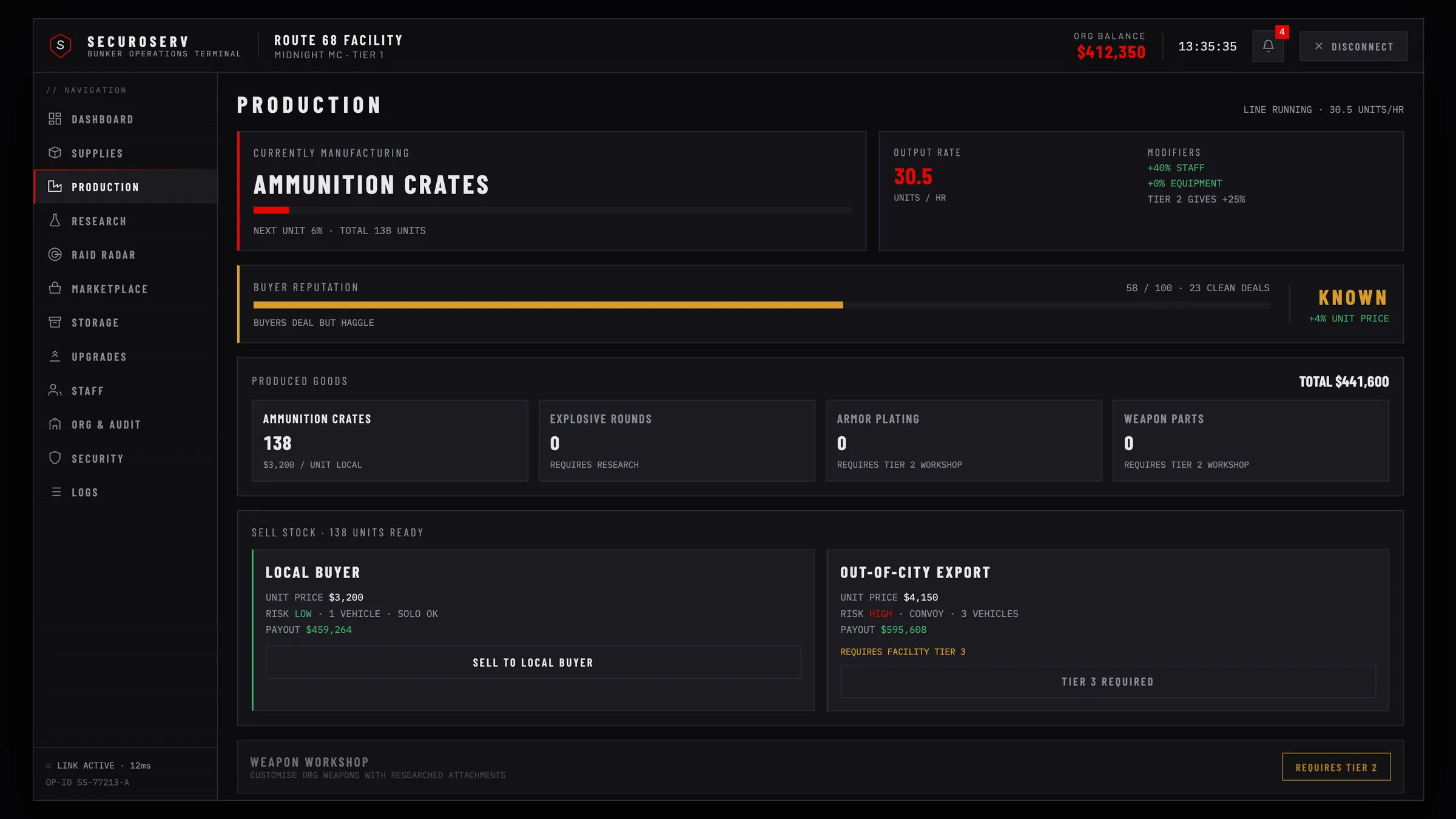 ### Production lines
Officers pick the active line in the `Production Lines` card with `Produce this`. A line that needs an upgrade stays locked until you buy it.
| Line | Needs | Speed | Supply use | Cap | Local price | Export price |
| --- | --- | --- | --- | --- | --- | --- |
| Ammunition | None | x1.2 | x0.8 | 250 | $2,400 | $3,100 |
| Weapon Parts | Equipment upgrade | x1.0 | x1.0 | 200 | $3,200 | $4,150 |
| Precision Components | Staff upgrade | x0.8 | x1.3 | 150 | $4,400 | $5,700 |
| Heavy Ordnance | Security upgrade | x0.6 | x1.6 | 100 | $6,000 | $7,800 |
Prices are per unit, before reputation and upgrade bonuses. Each line keeps its own stock and stops producing at its cap.
### Buyer reputation
Reputation runs from 0 to 100. Each tier raises the unit price:
| Tier | From | Price bonus |
| --- | --- | --- |
| `UNKNOWN` | 0 | None |
| `KNOWN` | 30 | +4% |
| `TRUSTED` | 60 | +8% |
| `PREFERRED` | 85 | +12% |
A clean local sale adds 4 and a clean export 6. A lost export (a hijack, for example) takes 10 off, a lost local sale 5.
### Sell stock
The `Sell cargo` row at the bottom of the page picks what the buttons sell: a stock line or a crafted good in the stash. A sale takes at most the line's `cargo` (250 units for ammunition) or 250 units of a crafted good.
| Card | Risk | What it needs |
| --- | --- | --- |
| `Local Buyer` | `LOW` | `SELL` permission. |
| `Out-Of-City Export` | `HIGH` | `SELL` permission, Equipment upgrade and 2 org members online. The button reads `Equipment Required` or `Crew Too Small` until then. |
Press the card's button, check the dialog and press `DISPATCH`. Only one sale can run at a time. The units leave the stock when the sale starts.
A sale is a mission in the world:
1. Take the vehicle waiting at the bunker entrance: a Mule, or an armored Boxville with the Equipment upgrade.
2. Deliver the cargo to the drop-off, a spot in the city at least 1,200 metres from the bunker. The truck counts as delivered within 14 metres of the drop-off at 4 metres a second or slower. The payout goes to org funds.
An export sale draws two chase vehicles with three guards each, 45 seconds after a driver takes the truck. A local sale has none. If the truck is destroyed or time runs out, the cargo is lost and reputation drops.
After 30 seconds, other orgs and police jobs see the export truck on the map as a 300 metre search circle. A member of another org can hijack the truck and drive it into their own bunker: they bank the cargo and the reputation moves from you to them. You can retake the truck any number of times and still finish. An export sale fails only when time runs out or the truck is destroyed.
With `missions.mode = 'timer'` there is no vehicle. A supply run completes after the `seconds` of its job. A sale pays out after `production.localSeconds` or `production.exportSeconds`, and an export has a `production.exportHijackChance` chance of being hijacked instead.
## Wages
Production and research stop when the org cannot pay wages. See [Staff and upgrades](/bunker/guides/staff-and-upgrades#wages) and [Org and storage](/bunker/guides/org-and-storage).